
Client records only you can read
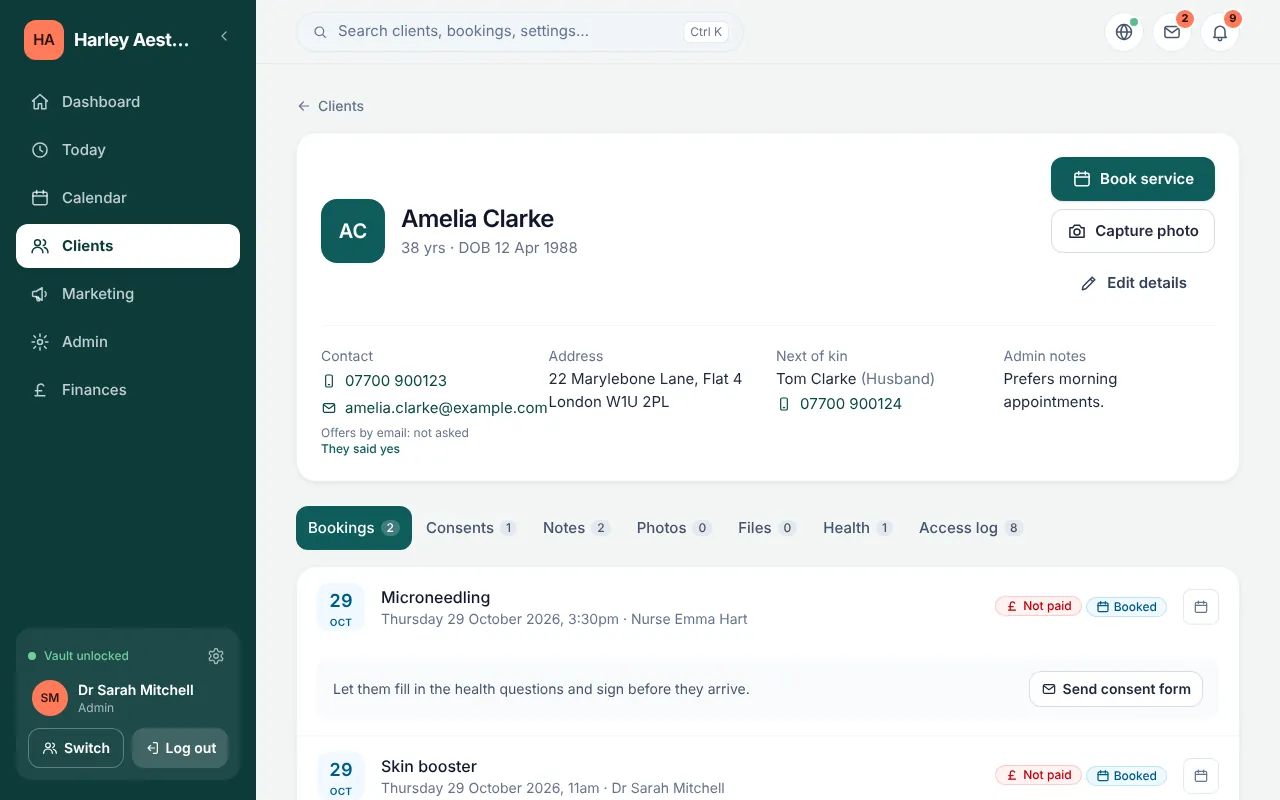
Client details, health answers, notes, photos and files are encrypted on your device, with a key only your team holds. Not even Pulosa can read them.
Included on every plan, Lite to Group.
Consent form · Amelia Clarke
Signed 14 Oct 2026, 14:32 · 2 photos
sealed 04dcecb1f514b8396ab8da12d814bb32789e7b0c
Health records need more than a password
Clinics and salons hold some of the most sensitive data there is: medical history, photos, allergies, medications. Under UK GDPR, health information needs extra care, and a data breach or a mishandled request can be costly.
Pulosa encrypts client records on your device before they’re stored, gives health information its own second lock, logs every time a record is opened, and handles your clients’ data requests step by step.
How client records and gdpr works in Pulosa
- 1
Encrypted on your device
Client details, health answers, notes, photos and files are encrypted with AES-256 before they leave your device. Your team’s PINs unlock them.
- 2
Health information locked again
Medical history, consent forms, clinical notes and photos have a second key, given only to Admins and people allowed to see clinical records.
- 3
Every access logged
Each client’s Access log shows every time someone opened or changed their record, and earlier contact details are kept.
- 4
Requests handled step by step
Data requests from clients arrive in Data & compliance with their one-month due date, and Pulosa works out what can be deleted and what must be kept.
See it in the app
The details that matter
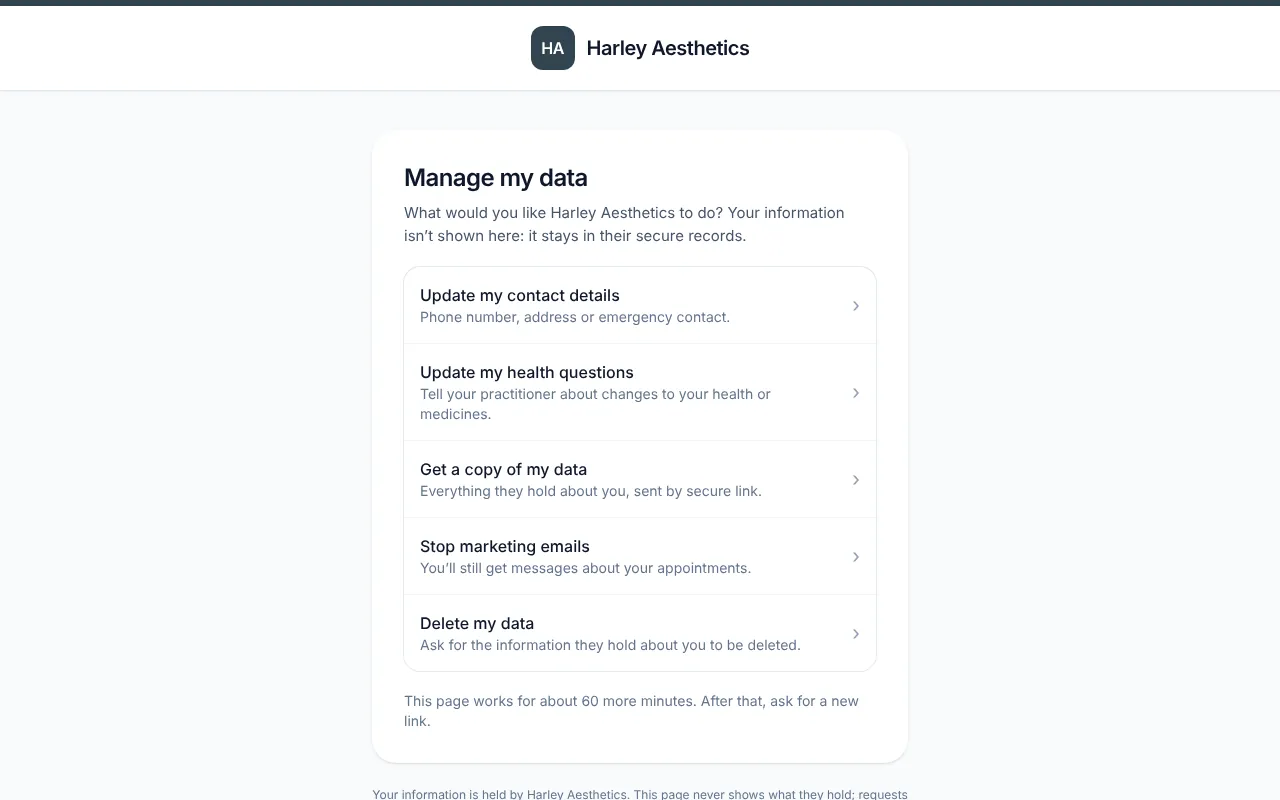
Manage my data
Clients can update their details, get a copy of their data, stop marketing or ask to delete their data from a page on your website, without showing who your clients are.
Retention you control
Set how many years records are kept after each treatment. Pulosa starts you with common starting points and warns about anything on 0 years.
A copy of their data
A request for a copy produces a .zip with a cover letter, a summary to print, files for other software and their original photos.
Auto-lock
Pulosa locks itself when nobody uses it for a set time, so records can’t be opened on a device left on the desk.
Two-step sign-in
Optional: signing in on a new device needs a code from an authenticator app as well as the password.
A DPIA to fill in
A data protection impact assessment, with a summary that can go on your website’s privacy policy.
Looking after client data well
Practical advice from working with salons, clinics and studios, whichever software you use.
- 1
Give each person their own PIN
Shared logins make it impossible to know who did what. Each team member has their own PIN, so the access log shows exactly who opened a record.
- 2
Only give clinical access to those who need it
Receptionists usually don’t need to read medical history. Keep See clinical records for practitioners and admins, and everyone else sees only that a form was signed.
- 3
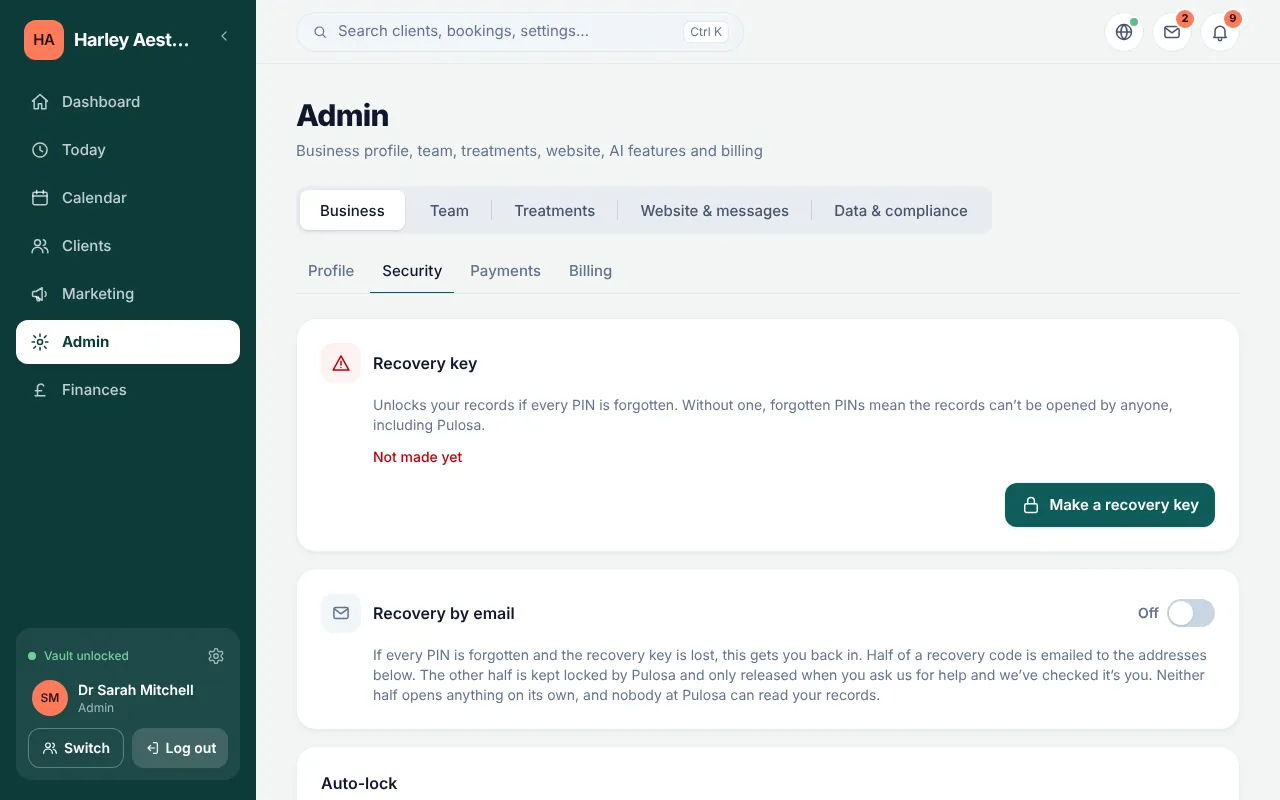
Make your recovery key now
Because only you hold the key to your records, a lost PIN can’t be reset by someone else. Make your recovery key and keep it somewhere safe, away from your computer.
- 4
Set your retention periods
Decide how long you keep records for each kind of treatment, based on your insurer’s advice, so you’re not holding data longer than you need or deleting it too soon.
- 5
Answer requests on time
Clients have the right to see, correct or delete their data, and you normally have a month to reply. Pulosa shows the due date for each request and works out what can be deleted.
Questions about client records and gdpr
Can Pulosa read my client records?
No. Records are encrypted on your device with a key that’s unlocked by your team’s PINs. What’s stored online can’t be read without them, not even by Pulosa.
What if we forget every PIN?
Your recovery key gets you back in. You can also set up recovery by email, split between two addresses, with Pulosa support checking it’s really you.
How long should I keep client records?
It depends on the treatment and your insurer. Pulosa starts you at 8 years for things like injectables, peels and laser, 5 for colour, tints and lashes, and lets you change them. Check with your insurer and professional body.
How do I handle a request to delete data?
It arrives in Data & compliance. After checking it’s really them, Pulosa deletes what can go and keeps clinical records still inside your retention period, restricted to just their name, date of birth and email.
Do I need to register with the ICO?
Most businesses that handle personal data need to pay the ICO data protection fee. Our free GDPR checker covers it, with links to the ICO.
Which plans include it?
All of it is on every plan, including Lite.
Where is client data stored?
Encrypted records are stored online so your team can use them on any device, but they can only be read once unlocked with your team’s PINs.
Can clients see their own data?
Yes. From the Manage my data page on your website, clients can update their details, ask for a copy of their data, stop marketing or ask to delete it.
Try it free for 14 days
Everything in one monthly price, with no commission and no card needed to start.